Does Apple Watch measure water temperature?
See which Apple Watch models measure water temperature, how Hormetic uses it for cold plunges, and what the app labels measured, entered and Estimated.
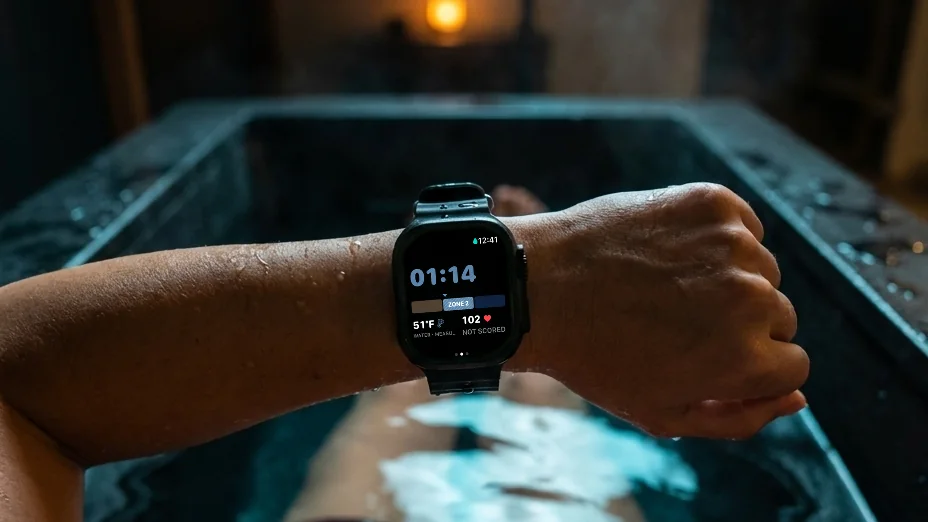
Some models do. Apple’s Depth app displays water temperature on Apple Watch Ultra models and Series 10 and later. That hardware capability is separate from what each third-party app supports. Apple’s Depth guide describes the supported models and underwater limits.
In Hormetic 1.7, automatic water-temperature sensing is supported on Apple Watch Ultra. Other watches use a temperature you enter, or none if you don’t have a gauge. Check the app’s support for your model before assuming a built-in sensor supplies every reading.
Check where the number came from
A useful cold-plunge record distinguishes the source of each value:
- Measured water temperature: a reading supplied by the supported Watch sensor.
- Entered water temperature: a value you supply yourself.
- Estimated cold score: Hormetic’s calculation from the water temperature, when one is recorded, and how long the plunge lasted.
The Estimated cold score remains an estimate even when its temperature input is measured. A different input can change the Estimated cold score without establishing a change in your body. Heart rate is recorded for context in Cold mode and does not feed the Estimated cold score calculation. These are the distinctions Hormetic makes in its product description.
Start the app before getting in
For Hormetic’s Ultra cold-plunge flow, tap Start, then get in. Starting the session and detecting submersion are separate steps. Review the recorded session afterward, including the temperature source, rather than assuming every displayed number came from a sensor.
Keep the device limits in view
Apple lists a water-temperature range of 0–40°C for underwater use of Apple Watch Ultra. That is a device operating range; it does not establish a suitable cold-plunge temperature or duration for a person. Read Apple’s operating guidance alongside the app’s safety information.
For the app’s recording flow and requirements, see Hormetic’s cold-plunge guide.